
Your job board, inside Salesforce.
Publish vacancies to a branded Experience Cloud careers site and capture applications directly in your Salesforce org.
From vacancy to application, without a second system.
Your team works in Salesforce. Candidates see a branded careers experience. The application returns to the same org.
Manage vacancies and publishing status in Salesforce using the fields and workflow configured for your organisation.
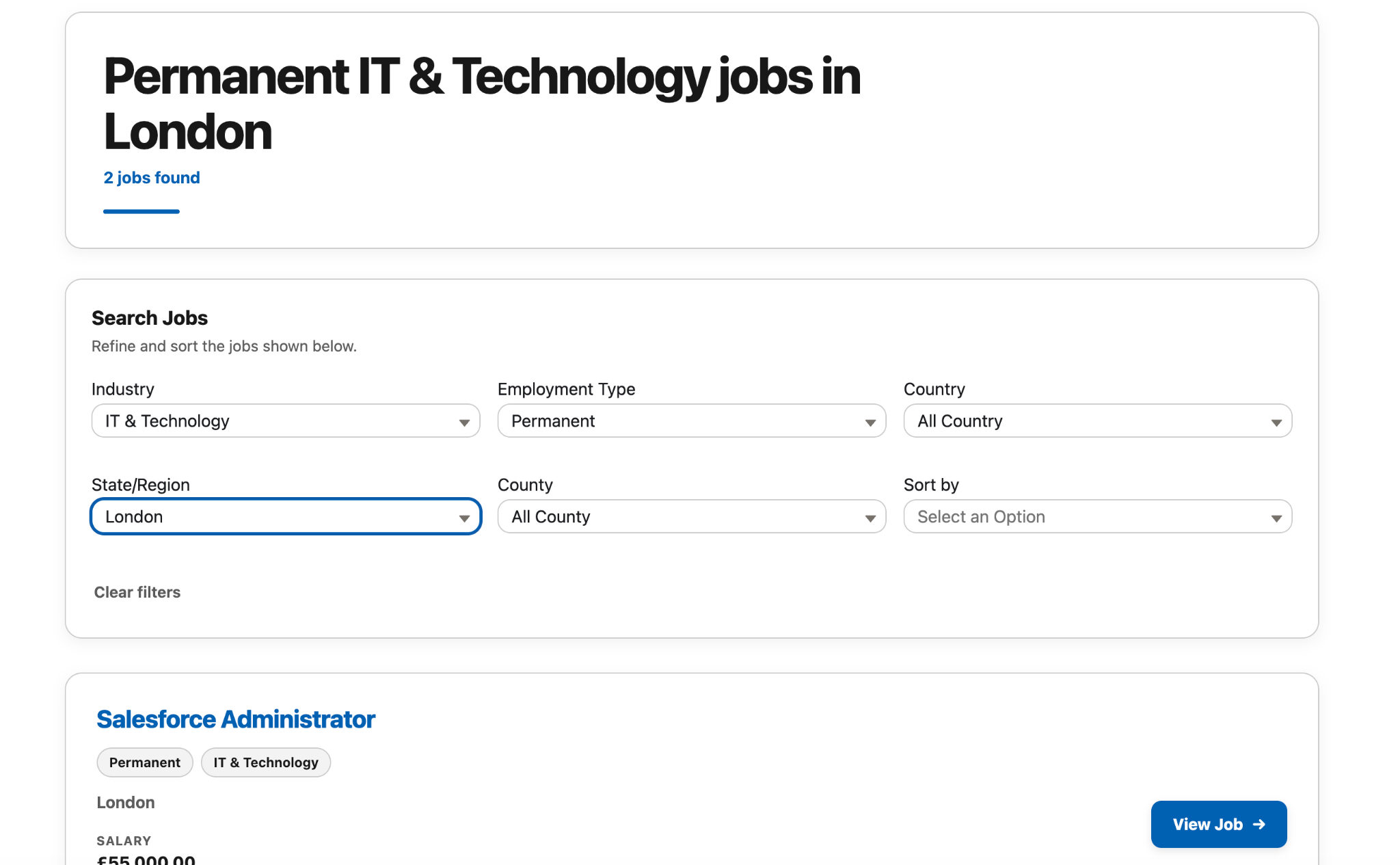
Published jobs appear on your Experience Cloud careers site for candidates to search, filter and explore.
With the Applications module, candidate submissions and uploaded CVs are captured in Salesforce for your team.
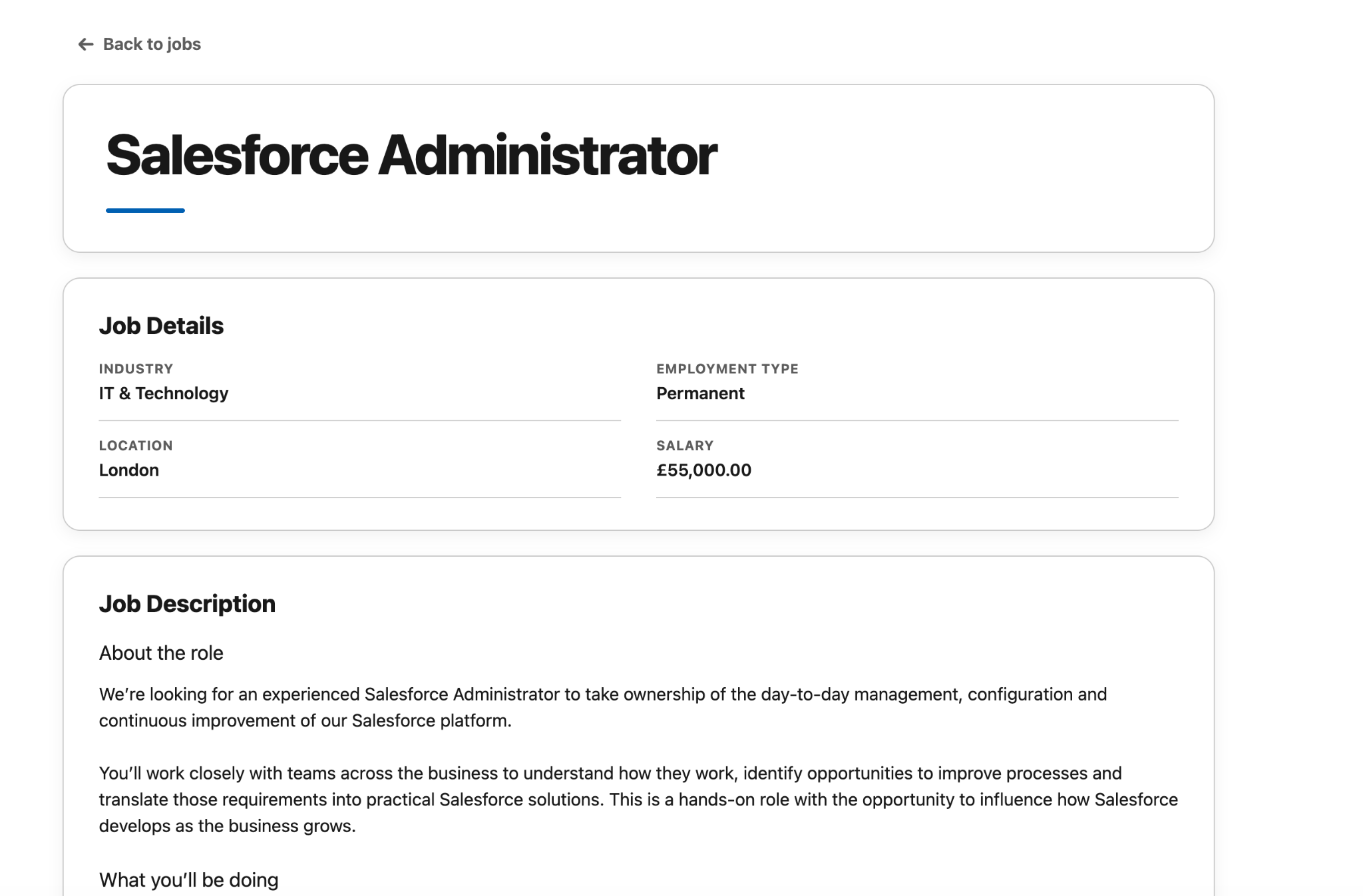
See exactly what candidates use.
These are screens from our working test board. Explore the candidate experience yourself, then see how its fields, filters and branding can be configured for your org.
Help applicants find relevant opportunities quickly.
Show the role, location, salary and other fields you choose.
Add the Applications module to capture submissions directly in Salesforce.
Make it feel like your organisation.
The screenshots show our test setup. The installed board can be configured around your jobs, fields and brand.
Your brand
Use your colours, styling and careers content.
Your fields
Choose which job information appears and where.
Your search
Configure filters and sorting for your vacancies.
Your content
Control headings, labels and supporting page copy.
A focused product, with applications when you need them.
Launch the job board first. Add candidate applications as a separate module.
Job Board
Publish Salesforce job records to your branded Experience Cloud site.
- Job list and detail pages
- Search, filters and location
- Configurable fields and content
Applications
Give candidates a direct application route back into your Salesforce org.
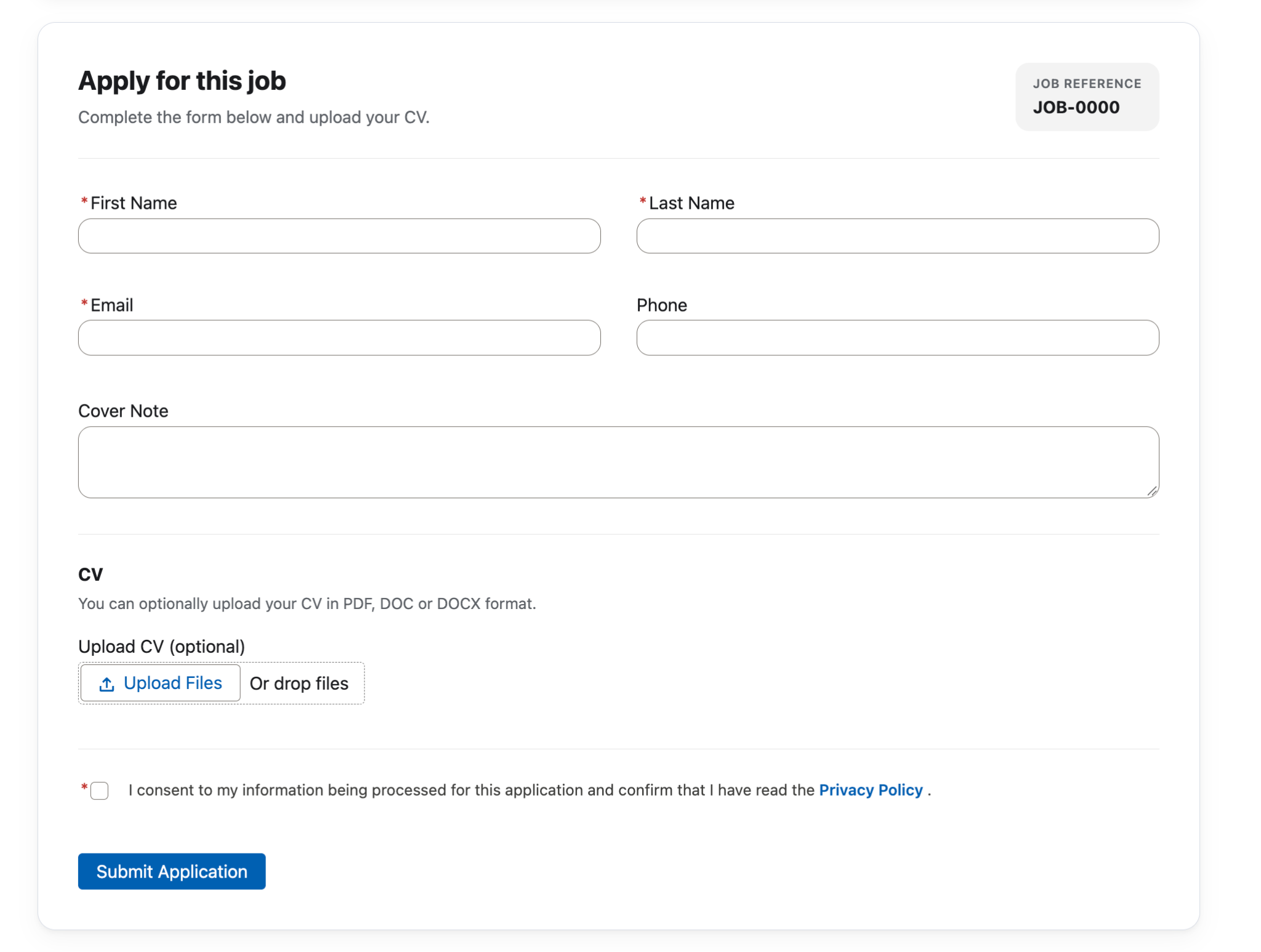
- Online application form
- Candidate details captured in Salesforce
- Optional CV upload
See the application form.
Applicants can enter their details and upload a CV. The form shown is from the OndaWorx test configuration.
Designed for your Salesforce environment.
We work with your team to configure the product and launch your branded careers site.
- Understand your setup
Review your job data, Salesforce processes and careers site requirements.
- Install and configure
Set up the modules, fields, filters, branding and Experience Cloud pages.
- Publish and test
Check the candidate journey and launch your job board.
Could OndaWorx work in your Salesforce org?
Try the working test board as a candidate. Search jobs, open a role and explore the application journey.
See OndaWorx with your Salesforce.
Tell us a little about your current job board and Salesforce setup. We’ll show you how OndaWorx could work with your jobs, your data and your careers site.
No hard sell. Just a practical look at whether OndaWorx is a good fit.